
DeepSeek Coder
DeepSeek Coder: write, preview and run code online, free
DeepSeek Coder is DeepSeek's open-source family of code models. Here you use it free in your browser: describe what you want in plain English, get working code in 338 programming languages, preview HTML, React and SVG live, then download the source. No install, no API key, no VPN.
DeepSeek Coder explained
What DeepSeek Coder is, and how to use it free
Everything developers actually ask before they start: the models, the price, the languages, and the fastest way to get working code.
What is DeepSeek Coder?
DeepSeek Coder started in 2023 as a dedicated open-source code model, trained on 87% code and 13% natural language, in sizes from 1.3B to 33B parameters with a 16K-token context. DeepSeek Coder V2 (2024) scaled it into a Mixture-of-Experts model with a 128K context and 338 programming languages, matching closed models like GPT-4 Turbo on code. Those coding skills now live inside DeepSeek's mainline V3 and V4 models, so today "DeepSeek Coder" means using DeepSeek to generate, complete, explain and debug code.
Is DeepSeek Coder free?
Yes, in two ways. The models ship under the MIT license, so anyone can download the weights and self-host at no cost. And on this page you use DeepSeek Coder free online: no subscription, no credit card, no API key. You only pay if you later call the DeepSeek API for high-volume automation.
How do I use DeepSeek Coder online?
Open the chat, keep the default DeepSeek model, and describe your task: "Write a Python function that parses this CSV", "Fix this error", "Convert this SQL to a Prisma query". You get an answer in seconds. For web code, a live preview panel renders HTML, React and SVG next to the chat, and you can download the source file. No setup, no VPN, works in any browser.
Which programming languages does DeepSeek Coder support?
338, from the mainstream (Python, JavaScript, TypeScript, Java, C++, C#, Go, Rust, PHP, Ruby, SQL) to niche and legacy languages. It handles full generation, autocompletion, and fill-in-the-middle (writing code between existing lines), so it works for greenfield snippets and edits inside an existing file alike.
What can DeepSeek Coder actually do?
More than writing code from a prompt: it completes unfinished functions, explains unfamiliar code line by line, finds and fixes bugs from an error message, translates code between languages, and writes tests and docstrings. Repository-level context lets it reason across a whole file, so it behaves like a coding pair that also knows how to read a stack trace.
DeepSeek Coder online, local or API: which should I use?
Use it online (here) for quick code, prototypes, learning and anything you want to preview and share instantly, with zero setup. Install it locally with Ollama or LM Studio when you need it offline, fully private, or on large repositories. Call the DeepSeek API when you wire it into an editor extension, a CI pipeline or an agent. Same model family, three access levels.
DeepSeek Coder vs Copilot and ChatGPT
GitHub Copilot autocompletes inside your IDE; DeepSeek Coder online gives full answers, a live preview, and free access with nothing to install. Next to a general chatbot, DeepSeek Coder is code-specialized and open-weight, so you can inspect it, self-host it, and use it commercially with no lock-in. For most snippet, debug and prototype tasks, the browser version is the fastest path to running code.
Quick guide
When to use DeepSeek Coder online vs locally
Same model, pick the access that fits the job.
Use DeepSeek Coder online when
- You want quick code, a prototype or a one-off snippet
- You want to preview the result and share a link
- You're learning or debugging a single problem
- You want zero setup, on any device
Install it locally when
- You need it offline or on an air-gapped machine
- Your code must stay fully private
- You work across large repositories
- You want to fine-tune the open weights
Ask, and see it run
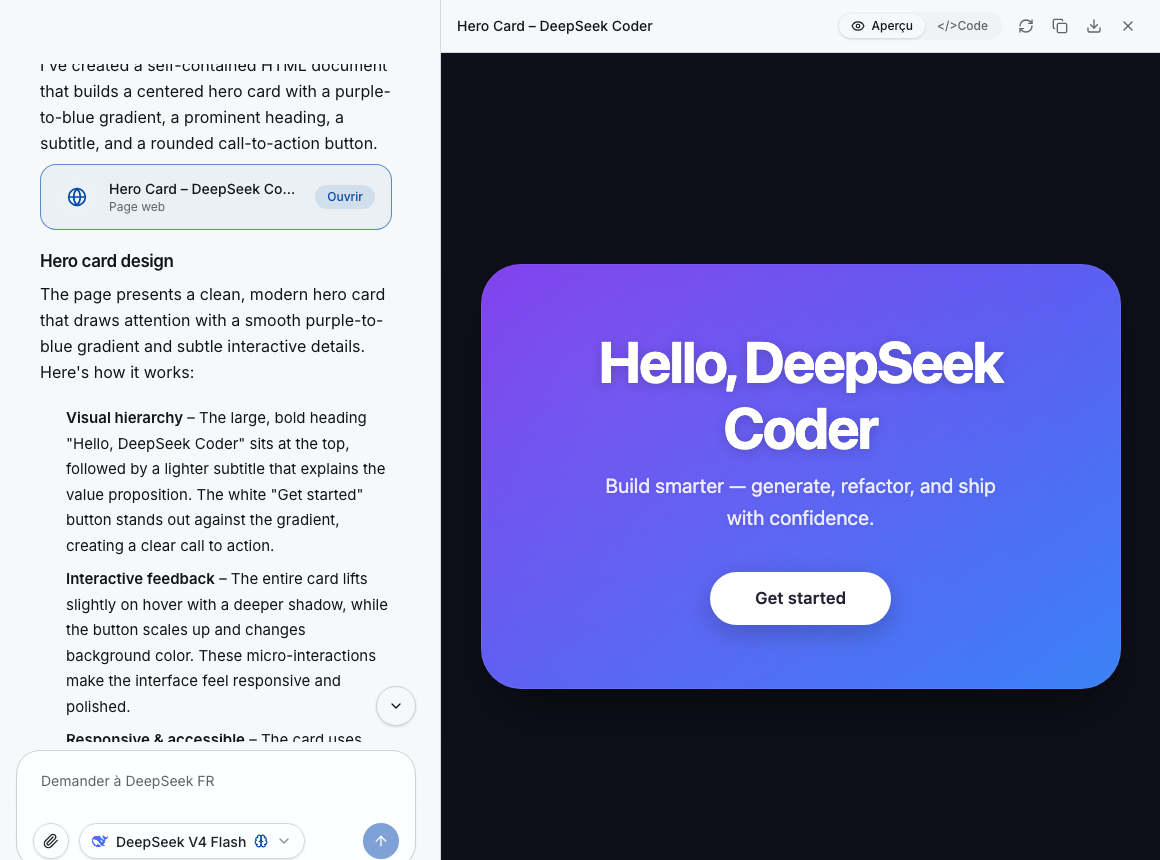
Write code and preview it live
Describe what you want in plain English or French. DeepSeek Coder writes the code and renders it live in a preview panel next to the chat: HTML, React and SVG. Refine the prompt, watch the result update, then download the source. No sandbox, no setup, it runs in your browser.
- Prompt in English or French, get working code
- Live preview of HTML, React and SVG
- Refine the prompt, the preview updates instantly
- Download the source (.html, .jsx, .tsx, .svg)
Real code, no lock-in
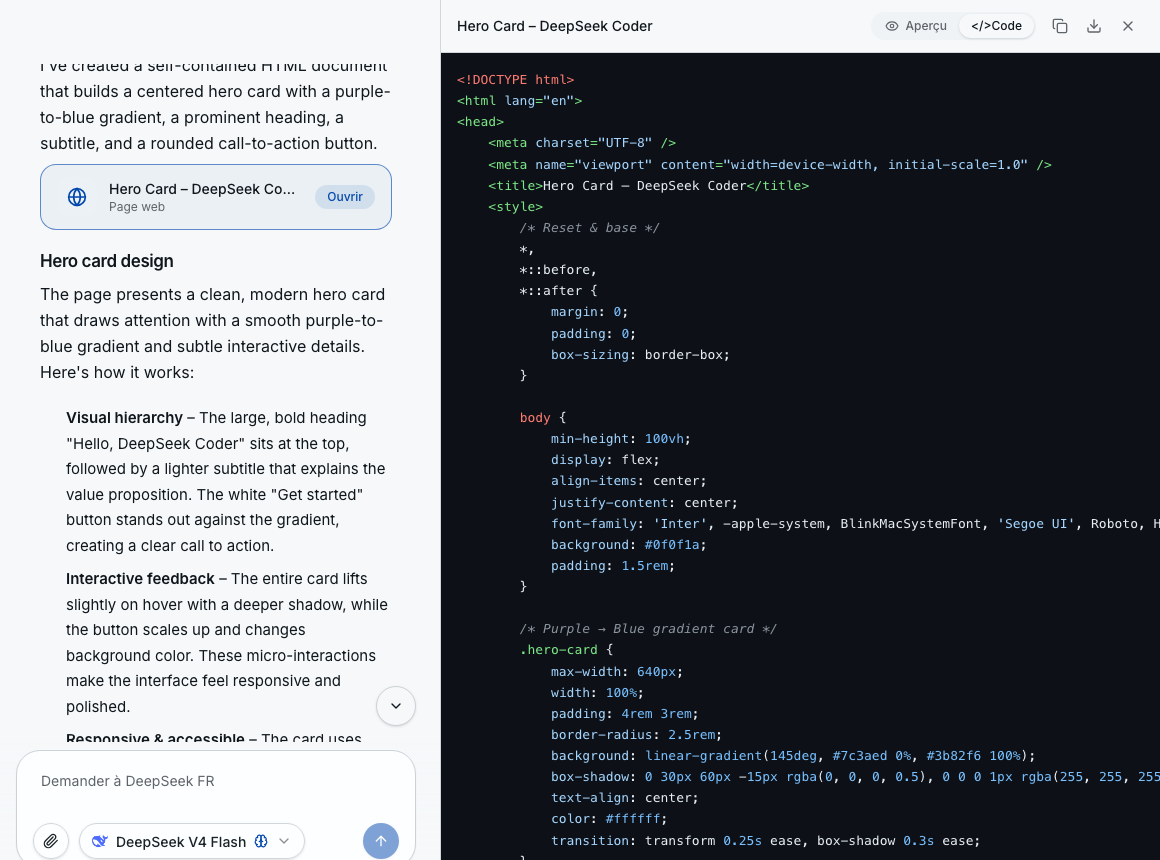
Read, copy and own the source
Every answer comes with the full source, syntax-highlighted and ready to copy or download. No black box: DeepSeek's models are open-weight under the MIT license, so you can inspect the output, reuse it commercially, and self-host the model if you ever want to. The code is yours, in 338 languages.
- Full syntax-highlighted source, copy or download
- No lock-in: commercial use with no restriction
- Open-weight DeepSeek models (MIT license)
- 338 programming languages supported
Resources
DeepSeek Coder: official links and tools
Go deeper: source, docs, weights and local install.
Explore DeepSeek
More DeepSeek, beyond code
The models behind DeepSeek Coder, and everything else you can do with them.
Get started
Write your first function with DeepSeek Coder
Describe what you need, get working code in seconds, preview it live and download the source. Free, in your browser, no install and no credit card.